VisionOwl
VisionOwl Portable Monitor 16 Inch 2.5K QHD 144Hz 16:10 Second Screen, USB-C HDMI HDR Travel Monitor for Laptop PC MacBook PS5 Xbox, VESA Mountable, with Speakers, Built-in Kickstand
VisionOwl Portable Monitor 16 Inch 2.5K QHD 144Hz 16:10 Second Screen, USB-C HDMI HDR Travel Monitor for Laptop PC MacBook PS5 Xbox, VESA Mountable, with Speakers, Built-in Kickstand
Couldn't load pickup availability
10-Bit IPS external display with 470 nits brightness: Unlike standard travel monitors. this premium IPS panel boasts 10-bit color depth and 110% sRGB gamut. essential for photo editing and design. With a high brightness of 470 nits. this second screen for laptops remains vivid even in bright settings. ensuring clarity where other screens look dim.
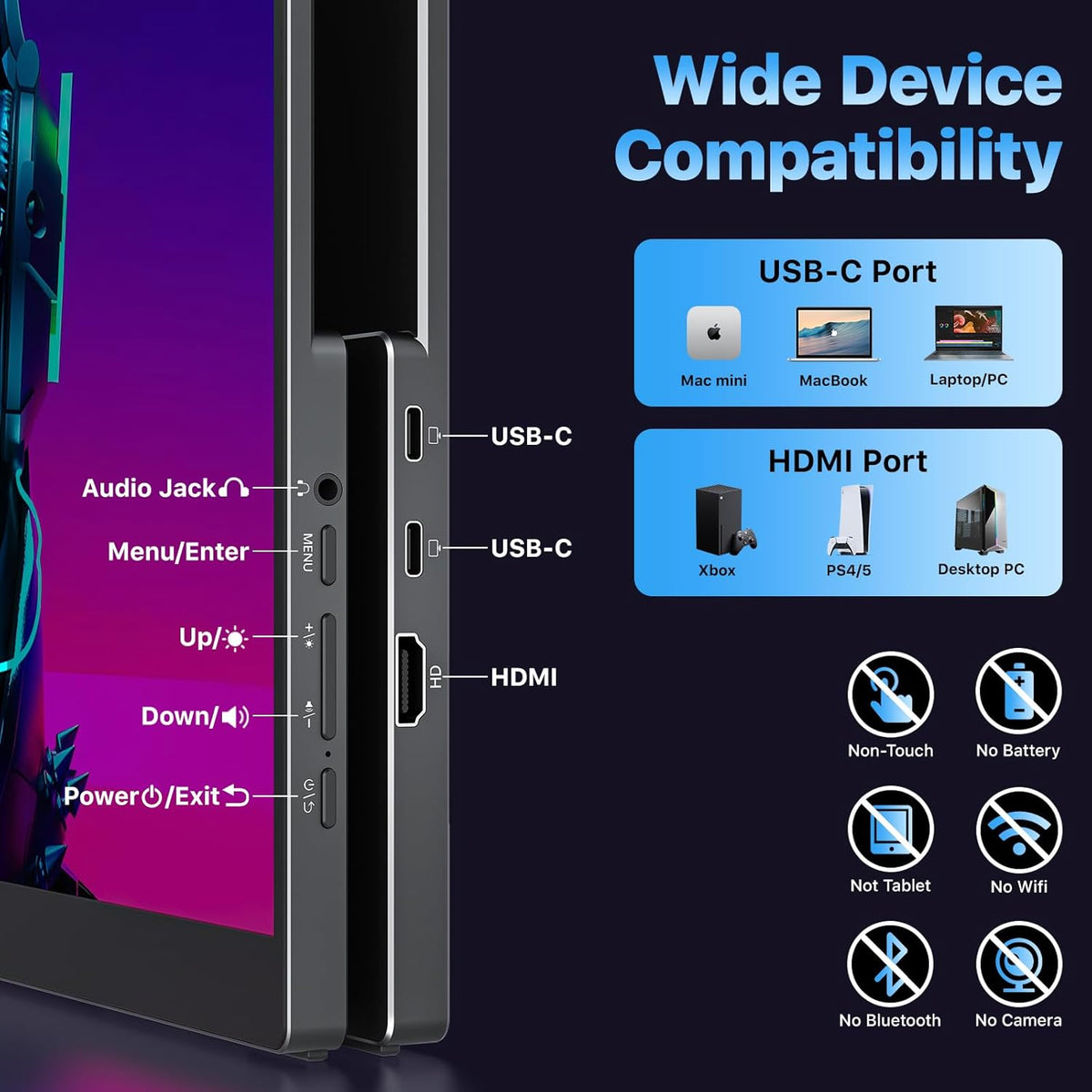
Widely compatible USB-C and HDMI portable display: Equipped with a full-size Standard HDMI (not fragile Mini-HDMI) and dual USB-C ports. this computer monitor connects easily to PS5. Xbox. Switch. and PC. Note: For single-cable power & video. your device must support Thunderbolt 3/4 or DP Alt Mode. It is the ideal portable monitor for laptop users seeking a reliable workstation expansion.
Slim metal travel monitor with kickstand and VESA holes: Crafted from durable metal (1.48 lbs). this monitor portable solution fits easily in bags. The built-in kickstand offers instant angle adjustment. while dual VESA holes allow mounting on arms. It serves perfectly as a dual monitor setup for home offices or a mobile display for road warriors.
Complete portable screen kit. ready to use: This USB-C monitor package includes a sleeve case. power adapter. Standard HDMI cable. and two USB-C display cables. Whether used as a gaming screen or for remote work. simply unbox and plug in. No drivers needed—just an instant productivity boost.
What can I do if the monitor starts flickering. looks dim. or turns black at higher brightness?
Please use the original power adapter we provided to supply sufficient power to the monitor.
How do I connect the iPhone to the monitor?
1. iPhone 15/16/17 (Plus/Pro/Pro Max) works via USB-C with the original USB-C cable; please also connect the monitor to a power source
2. iPhone 16e and all iPhone before 15 series with a Lightning port need an Apple Lightning Digital AV Adapter
My Android phone has a USB-C port. does this monitor work with my phone/tablet using the original USB-C to USB-C cable?
These Samsung phones (Galaxy S8/S9/S10/S20/S21/S22series; Galaxy Note8/9/10/20series; Galaxy Fold. Z Fold 2/3/4) can work with monitor by our original USB-C cable.
Other phones/tablets need HDTV cable for the connection.
Is this monitor compatible with Switch/Switch 2?
1. It is compatible with the original Switch.
2. It is NOT compatible with the new Switch 2 via the USB-C cable connection. Please connect the monitor to the HDMI port on the Switch 2's dock to get the display signal.
Cinematic Home Viewing
What should I do if my monitor shows no signal when connected by USB-C to USB-C cable?
What can I do if the monitor starts flickering. looks dim. or turns black at higher brightness?
How do I connect the iPhone to the monitor?
My Android phone has a USB-C port. does this monitor work with my phone/tablet using the original USB-C to USB-C cable?
Is this monitor compatible with Switch/Switch 2?
Share